
New Metalpla and Estrumad XE8
Provisional content: to be reviewed and completed with the text from the current website.
New!
Estrumad XE8
Metalpla XE8
Great programs with new BIM features
The new Estrumad and Metalpla come packed with improvements both in their interface and in their powerful calculation engine, now even faster. Their possibilities are unlimited.
They are integrated with Autodesk Revit, where you can design the structure and export it to Metalpla and/or Estrumad for analysis. Once the structure has been calculated, you can import the changes back into Revit.
In addition, Estrumad offers a bidirectional link with Cadwork.
These are the best-integrated bidirectional links currently available.

Many improvements have been made, especially those suggested by our users to refine the tool. The most notable are:
-
New input with numerous stand-alone programs and wizards to make data entry easier
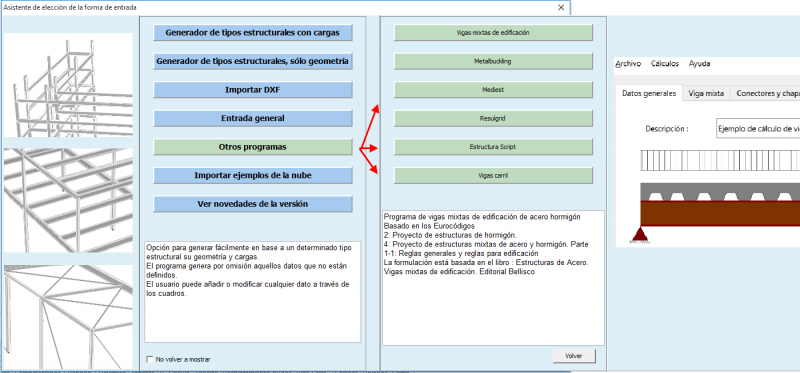

New simple, complete and intuitive input for defining common structures and their loads through the “Structural type generator with loads”
In addition:
-
Improved reports. More detailed and easier to interpret.
-
Ability to use multiple monitors.
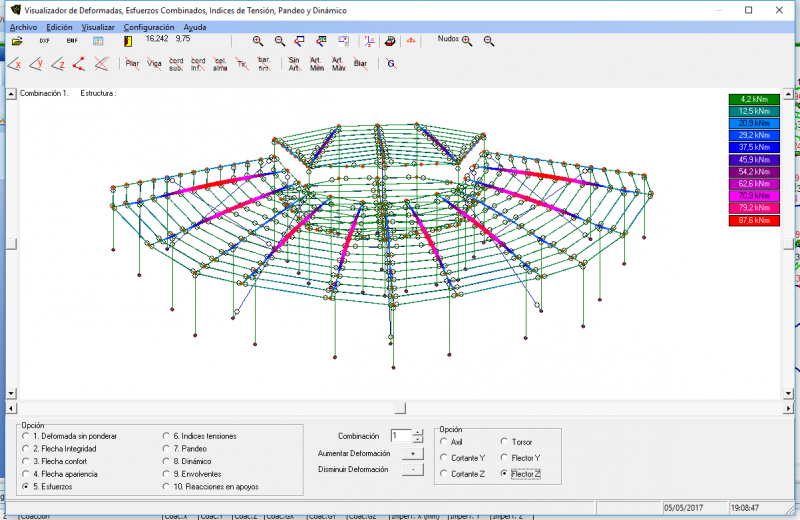
The outputs are intuitive.
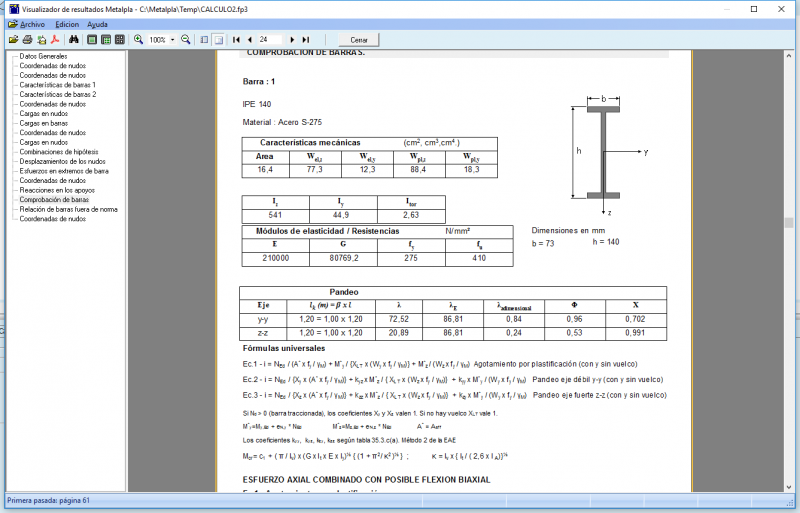
Partial example of the new report with explanations of the formulas used
Contents of the new programs
Included in Estrumad and Metalpla
- Mediest: Structure quantity take-off, exportable to Excel.
- Metalbuckling : Instability analysis of steel members
- Vigas Mixtas (Composite beams): Design of steel-concrete composite beams
- Vigas carril (Crane runway beams): Design of crane runway beams.
- Resulgrid: Output of calculation results in a grid, exportable to Excel.
- Estructura Script: Complete generation of structures, including loads, in the Basic language to produce the file for direct analysis with Metalpla and/or Estrumad.
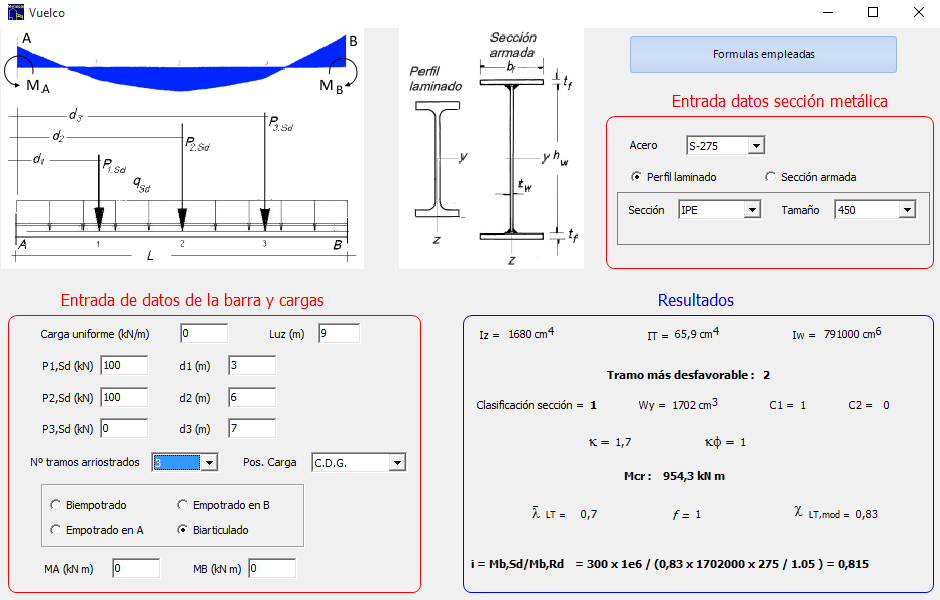
Metalbuckling: Instability analysis of members, including lateral-torsional buckling of beams
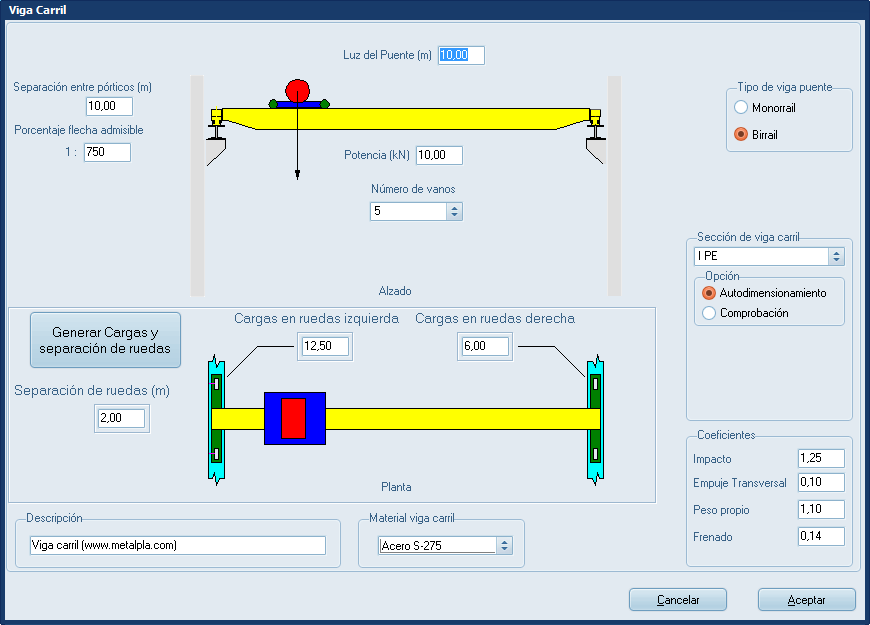
Design crane runway beams
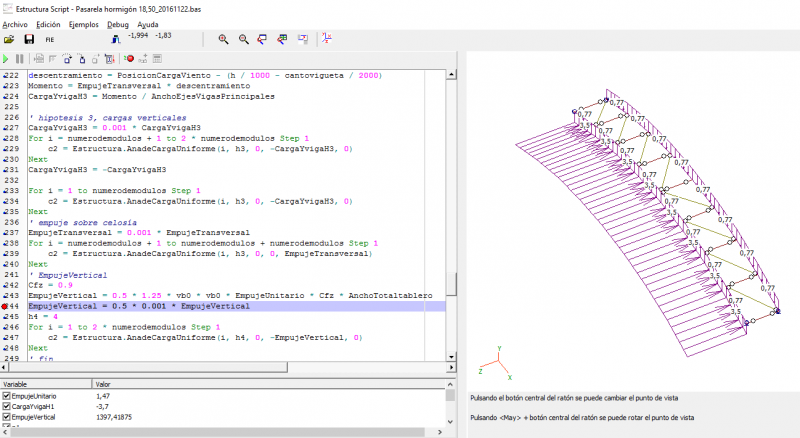
Easily generate your structures by programming in Basic, with the ability to run step by step and debug. Take off quantities for your structures and export them to Excel
If you are on the rental plan, simply request your download and activation key from metalpla@metalpla.com